site

Essential Web Design Tools Every Beginner Should KnowEssential Web Design Tools Every Beginner Should Know

site

Embarking on the journey of web design is an exciting venture, but with a plethora of tools available, it’s essential for beginners to navigate the landscape wisely. Whether you’re crafting a personal blog or diving into the world of e-commerce, having the right tools at your disposal can make all the difference. Having a clear CTA is paramount at this stage. As you explore these tools, consider your specific project needs and objectives. Are you looking to enhance visual appeal, streamline development, or improve user experience? Tailoring your tool selection to your goals ensures a more efficient and enjoyable web design process. Let’s explore a selection of essential web design tools that every beginner should know to kickstart their creative endeavors.

Graphic Design Tools: Canva and Adobe Spark

Creating visually appealing content is a cornerstone of web design. Canva and Adobe Spark are user-friendly graphic design tools that empower beginners to design stunning visuals without a steep learning curve. From social media graphics to website banners, these tools offer a canvas for your creativity to flourish.

Website Builders: Wix and WordPress

wordpress

For those starting without coding experience, website builders are a boon. Wix and WordPress provide intuitive interfaces that allow you to drag and drop elements, customize layouts, and bring your vision to life. They are ideal for building a functional and aesthetically pleasing website without delving into complex code.

Code Editors: Visual Studio Code and Sublime Text

As you progress in your web design journey, understanding the basics of coding becomes invaluable. Visual Studio Code and Sublime Text are feature-rich code editors that facilitate writing, editing, and organizing code. They come with handy features like syntax highlighting and auto-completion, making coding more accessible for beginners.

Browser Developer Tools: Chrome DevTools and Firefox Developer Tools

Understanding how your website behaves across different browsers is crucial. Browser developer tools, such as Chrome DevTools and Firefox Developer Tools, let you inspect and debug your website in real time. They are indispensable for identifying and fixing layout issues and ensuring a seamless user experience.

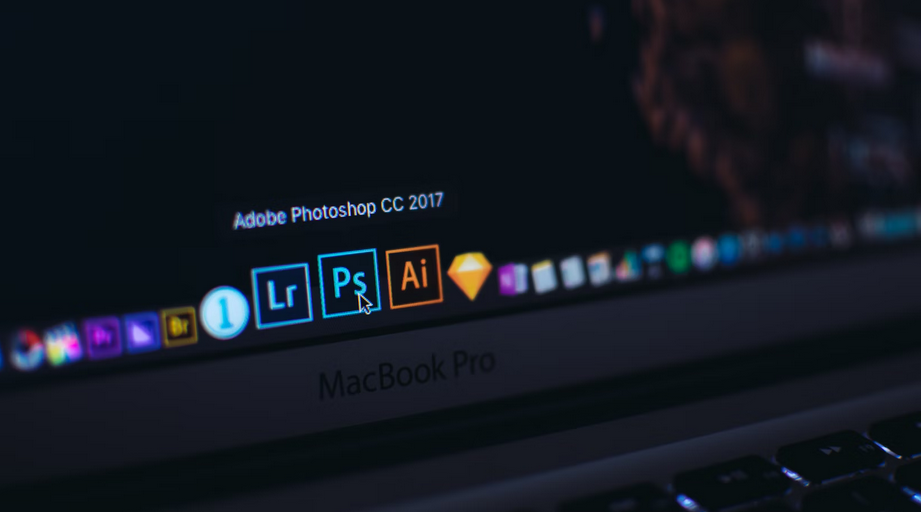
Color Palette Generators: Colors and Adobe Color Wheel
adobe

Choosing the right color palette is a nuanced aspect of web design. Coolors and Adobe Color Wheel assist beginners in creating harmonious color schemes. With features like color exploration and contrast checking, these tools make it easier to achieve visually appealing and accessible designs.

Version Control: GitHub

Collaboration is a common aspect of web design projects, and version control is essential to manage changes efficiently. GitHub provides a platform for version control, allowing you to track modifications, collaborate with team members, and revert to previous versions if needed.

As you embark on your web design journey, these essential tools will serve as your trusty companions. Experiment with different tools, explore their features and don’t hesitate to combine them to suit your unique design process. Remember, the key is to enjoy the creative process and embrace the learning curve. With these tools at your fingertips, you’re well on your way to crafting visually stunning and functional websites.

Related Post

code

Web Elements That Are Timeless and Will Always Work Like a CharmWeb Elements That Are Timeless and Will Always Work Like a Charm

A website can be said that it has aged like a fine wine if it uses timeless web elements. Though it may seem simple, only a few websites could survive the test of time by using the right kind of web elements. But before that, be sure to check out https://www.sfgate.com/market/article/best-vps-hosting-providers-17859179.php. If you think these elements are just about sliders to contact forms, read on. We’re going to explore the web elements that have really stood the test of time. Let’s get the list started.

Minimalism

navigate

When talking about web elements, minimalism is the first thing that comes to mind. At its most basic, minimalist design means using clean and modern visuals with plenty of white space. This helps focus on the main content while creating a feeling of sophistication. A great example of minimalism in action would be Apple’s website, which showcases its products in simple yet beautiful fashion. On top of this, minimalist design also helps to improve page loading times, which is always a plus.

Icons

Though icons are nothing new, they have become an essential element for modern websites. They are used to communicate certain ideas quickly with just one image. Plus, these little graphics can help break up the monotony of text-heavy pages and make them more visually appealing. Icons are also extremely versatile – they can be used for navigation, illustrations, and buttons. Without them, websites would look pretty dull.

Typography

It may not be as flashy as some other elements, but typography is still essential for creating a great user experience. It’s all about finding the perfect font and size to make your content easier to read. Good typography will also help create a visual hierarchy on your site, guiding viewers to the most important parts. It’s no wonder why so many designers rely on typography when creating websites – it can make all the difference in how a page looks and feels.

Intuitive Navigation

web accessBehind every great website is a great navigation system. It’s what helps the user find their way around your site and leads them to the right page quickly and easily. Intuitive navigation should be easy to use but also flexible enough to accommodate any changes you might make in the future. Good navigation can even help create stronger relationships between users and brands – people like it when they don’t have to think too hard about finding what they’re looking for.

Proper White Space

The idea of whitespace, or negative space, is simple – it’s the area on a page without anything in it. It may not seem like much but white space plays an important role in design. For one thing, it helps to draw attention to certain elements and creates breathing room between different sections. Proper white space will also make your content easier to read, making it more attractive to viewers. It’s an element that’s often overlooked but its importance should never be underestimated.

In short, sometimes, it’s not a matter of reinventing the wheel. It’s about enhancing the use of timeless web elements that will always work like a charm and enhance your website. From minimalism to whitespace, these are just some of the most essential elements you should have in your arsenal if you want to create an amazing website.

chair

Three Tips to Choose the Right Massage ChairThree Tips to Choose the Right Massage Chair

When it comes to buying a massage chair, you have many options. From the budget-friendly to the high-end luxurious models, there are plenty of choices that will suit your needs. This article is dedicated to helping you decide if an affordable chair is right for you or if you should splurge on a luxury model. Check out our top tips to choose the right massage chair for you:

Check Your Budget

massageHow much are you willing to spend? This is a crucial question that you need to ask yourself before shopping for the perfect chair. If you’re on the hunt for an affordable massage chair, below $500 will give you some options, but not all of them are guaranteed to be good quality. Here’s our favorite budget-friendly option! You may also want to check out how many massages you typically get in a year. If you go to a chair massage parlor, for example, this will give you an idea of how often you should buy one.


Buy the Right Massage Chair Type

There are several different types of chairs that provide various benefits depending on your needs and preferences. Here’s what kind is right for you:

  • Shiatsu – These are some of the most popular chairs on the market. They use airbags to simulate pressure points and kneading motions that mimic a massage therapist’s hands. This type is particularly recommended for back pain sufferers due to its targeted treatment, which relieves tension in problem areas along your spine, but it can also be beneficial if you just want relaxation or an all-over body massage. Also, this type of chair is ideal if you want to buy one for your own home or office because they are compact and can be easily moved around the room.
  • Recliner – If comfort is what you’re looking for, then a reclining model may better suit your needs. These chairs provide full back support and even elevate your legs to relieve pressure and tension. They also have a built-in heating function that great muscle pain relief, especially in the lower back area.
  • Infrared – If you’re looking for something more high-end, an infrared chair will be what you want. These models use heat therapy by emitting far infrared rays that penetrate deep into muscles to relieve tension while relaxing you more than just regular massage chairs.

There are many other models out there, but these three types will give you an idea of what is available and how they work, so make sure you choose the right one for your needs.


Consider Your Space

How much room do you have? Will the massage chair fit where you want to put it? You can find chairs in all shapes and sizes, so choose one that matches your space. Many models are compact enough to be easily tucked away when not in use, but there is also a large range of sleek recliners that will look good with the rest of your furniture.

The Takeaway

We truly hope that this article helped you to realize that buying a massage chair is not as daunting of a task as it might seem. Once you understand what type would best suit your needs and which features are the most important, finding one will be easy! Just remember our top tips when choosing: check your budget, consider your space and buy the right model for you.

pc

How to Download TradingView for PCHow to Download TradingView for PC

Are you an avid trader looking to take your chart analysis skills to the next level? It’s time for you to download TradingView on Windows. Why? Well, this trading app has lots of features that can make traders and investors easily reap all the benefits of being one.

The question is how? There are advanced techniques with TradingView charts that will help you make the best trading decisions. From identifying complex chart patterns to creating custom indicators and strategies, we’ve got you covered. But that’s not all – we’ll also show you how to download TradingView on your PC using LD Player Emulator since it’s not developed for PC users. This way, you can have access to these powerful tools wherever you go.

Advanced Candlestick Patterns

patterns

While most traders are familiar with basic candlestick patterns like doji and hammer, there is a whole world of advanced candlestick patterns waiting to be explored. One such pattern is the engulfing pattern. This occurs when a small bullish or bearish candle is followed by a large opposite-colored candle that engulfs the previous one. This pattern signifies a strong reversal in sentiment and can provide valuable insights into potential trend reversals.

Another advanced pattern worth mentioning is the harami cross. This occurs when a small doji or spinning top appears within the body of a larger candle. The harami cross suggests indecision in the market and often precedes significant price movements.

Complex Chart Patterns

There is nothing wrong with basic chart patterns like triangles and rectangles since it’s commonly used. However, if you want to be more advanced, rely on complex chart patterns to gain a deeper understanding of the market. The double top and bottom formations are some of them. These formations occur when there are two significant high or low points at approximately the same level. The double top indicates a potential reversal from an uptrend to a downtrend, while the double bottom suggests a shift from a downtrend to an uptrend.

Custom Indicators and Strategies

With custom indicators, traders can create unique technical analysis tools tailored to their specific needs and preferences. Traders can develop their algorithms or modify existing ones to generate signals based on their trading strategies. Additionally, custom strategies enable traders to automate their trading process by defining entry and exit conditions. This eliminates the need for manual intervention and ensures consistent execution of trades according to predefined rules.

Utilizing TradingView Alerts Strategically

charts

TradingView provides a powerful feature called alerts, which can be used to notify traders about specific price levels or conditions in the market. These alerts can be set up on various indicators, such as moving averages, MACD crossovers, or even custom scripts created by users. One effective strategy for utilizing alerts is to set them at key support and resistance levels. By doing so, traders can receive notifications when the price approaches these important areas. This allows for timely decision-making and potential entry or exit points.

But what if you prefer using TradingView on your PC? Well, we’ve got you covered. You can easily download TradingView on your computer using LD Player Emulator. LD Player is a popular Android emulator that allows you to run mobile apps on your PC.

To download TradingView using LD Player Emulator:

  1. First, download and install the LD Player Emulator from their official website.
  2. Once installed, launch the emulator.
  3. On the home screen of LD Player Emulator, open Google Play Store.
  4. Search for “TradingView” in the search bar.
  5. Locate the official TradingView app from the search results and click on it.
  6. Click on “Install” to begin downloading and installing the app.
  7. Once installed, you can launch TradingView directly from the LD Player Emulator’s home screen or through its app drawer.

With this simple process, you can enjoy all the features of TradingView right on your PC without any hassle.