site

Essential Web Design Tools Every Beginner Should KnowEssential Web Design Tools Every Beginner Should Know

site

Embarking on the journey of web design is an exciting venture, but with a plethora of tools available, it’s essential for beginners to navigate the landscape wisely. Whether you’re crafting a personal blog or diving into the world of e-commerce, having the right tools at your disposal can make all the difference. Having a clear CTA is paramount at this stage. As you explore these tools, consider your specific project needs and objectives. Are you looking to enhance visual appeal, streamline development, or improve user experience? Tailoring your tool selection to your goals ensures a more efficient and enjoyable web design process. Let’s explore a selection of essential web design tools that every beginner should know to kickstart their creative endeavors.

Graphic Design Tools: Canva and Adobe Spark

Creating visually appealing content is a cornerstone of web design. Canva and Adobe Spark are user-friendly graphic design tools that empower beginners to design stunning visuals without a steep learning curve. From social media graphics to website banners, these tools offer a canvas for your creativity to flourish.

Website Builders: Wix and WordPress

wordpress

For those starting without coding experience, website builders are a boon. Wix and WordPress provide intuitive interfaces that allow you to drag and drop elements, customize layouts, and bring your vision to life. They are ideal for building a functional and aesthetically pleasing website without delving into complex code.

Code Editors: Visual Studio Code and Sublime Text

As you progress in your web design journey, understanding the basics of coding becomes invaluable. Visual Studio Code and Sublime Text are feature-rich code editors that facilitate writing, editing, and organizing code. They come with handy features like syntax highlighting and auto-completion, making coding more accessible for beginners.

Browser Developer Tools: Chrome DevTools and Firefox Developer Tools

Understanding how your website behaves across different browsers is crucial. Browser developer tools, such as Chrome DevTools and Firefox Developer Tools, let you inspect and debug your website in real time. They are indispensable for identifying and fixing layout issues and ensuring a seamless user experience.

Color Palette Generators: Colors and Adobe Color Wheel
adobe

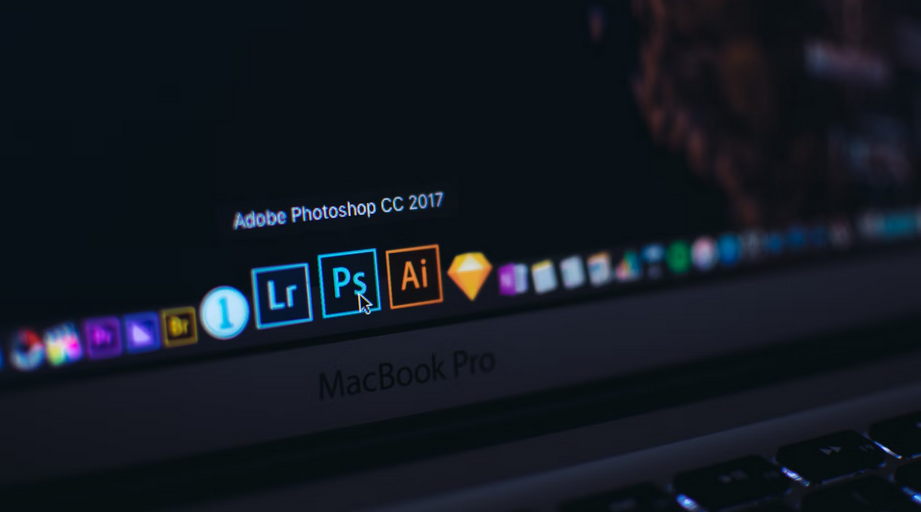
Choosing the right color palette is a nuanced aspect of web design. Coolors and Adobe Color Wheel assist beginners in creating harmonious color schemes. With features like color exploration and contrast checking, these tools make it easier to achieve visually appealing and accessible designs.

Version Control: GitHub

Collaboration is a common aspect of web design projects, and version control is essential to manage changes efficiently. GitHub provides a platform for version control, allowing you to track modifications, collaborate with team members, and revert to previous versions if needed.

As you embark on your web design journey, these essential tools will serve as your trusty companions. Experiment with different tools, explore their features and don’t hesitate to combine them to suit your unique design process. Remember, the key is to enjoy the creative process and embrace the learning curve. With these tools at your fingertips, you’re well on your way to crafting visually stunning and functional websites.


Related Post

gamer

How to Run SuperLive Plus on PCHow to Run SuperLive Plus on PC

SuperLive Plus is a surveillance app designed to provide users with real-time access to their security cameras from a mobile device. Whether for home monitoring or managing business premises, the app delivers high-quality video feeds, playback options, and multi-channel support—all from a compact and user-friendly interface. While SuperLive Plus was originally made for smartphones and tablets, many users now prefer the enhanced control and viewing experience offered by running the app on a PC. To get superlive plus for pc, there are various steps and tools one needs. This article goes over what one needs to run SuperLive Plus on their PC.

Reliable Surveillance at Your Fingertips

Reliable Surveillance at Your FingertipsSuperLive Plus connects to various types of DVRs and IP cameras, allowing users to stream live video, take snapshots, and playback recordings. With multi-channel viewing capabilities, users can monitor multiple camera feeds at once—making it ideal for both residential and commercial setups. The app also supports motion detection alerts and PTZ (pan-tilt-zoom) camera controls, giving users the flexibility to stay informed and take action if needed. Its real-time video feed quality is one of its standout features. Whether connected via Wi-Fi or cellular data, the app offers clear and consistent footage with minimal lag. This helps ensure that users don’t miss any critical moments. Moreover, SuperLive Plus lets users organize cameras into groups, rename channels, and adjust streaming quality based on bandwidth—adding to the app’s overall versatility.


Why Run SuperLive Plus on PC?

While mobile access is convenient, monitoring multiple video streams on a small screen can be limiting. Running SuperLive Plus on a PC significantly improves the viewing experience by taking advantage of larger displays and more precise controls. For users with multi-camera setups, being able to view feeds on a wide monitor and use a mouse for camera navigation creates a far more practical and efficient setup. In addition, using SuperLive Plus on a computer is ideal for users who multitask or manage security systems alongside other software. With a desktop environment, users can monitor live footage while working on other tasks, responding to alerts, or managing camera settings without constantly switching devices. The stability and processing power of a PC also reduces the likelihood of app crashes or performance lag, especially during extended surveillance sessions.

keybord

How to Install and Use SuperLive Plus on PC with NoxPlayer

To run SuperLive Plus on your PC, you’ll need an Android emulator like NoxPlayer. This tool creates a virtual Android environment on your computer, enabling you to install and use mobile apps seamlessly. After downloading and installing NoxPlayer from its official website, open the emulator and log in with your Google account. From the built-in Play Store, search for SuperLive Plus and install it. Once installed, you can open SuperLive Plus directly from the NoxPlayer home screen and start linking your cameras as you would on a mobile device.

Conclusion

keybordSuperLive Plus offers a powerful and accessible solution for anyone looking to monitor their home or business security systems remotely. By running the app on a PC with NoxPlayer, you unlock a more expansive and efficient viewing experience. With improved controls, better screen visibility, and seamless integration with your security hardware, SuperLive Plus on the desktop provides peace of mind with professional-grade functionality.

a lady shopping online using a proxy server

Tips for Choosing ProxiesTips for Choosing Proxies

You need sneaker bots and proxies to succeed in purchasing multiple pairs of sneakers or any other restricted item from an online store without the retailer’s site flagging you off. Also, you do not want to experience issues and find the merchandise sold out as you were struggling to check out due to CAPTCHA puzzles.

Therefore, for smooth online shopping with sneaker bots, you need to work with the best proxy providers, like Ping proxies. This means you need to know what to look for in proxies as you select the ones to buy.

Here are some tips to help you choose the best proxies:

Consider Location Targeting

consider location targetingWith location targeting, also called geo-targeting, you can use only an IP address from a specific location. The location could be a country, a town, or a city. The location targeting feature is a must-have for the best sneaker proxies to allow you to have the shortest distance between the target site the proxy server.

For example, if you are targeting to buy Nike sneakers, you need Nike bots, and avoiding your IP getting banned, you should also get proxies. The best proxies are those which enable you to be in a similar location as the Nike servers. In addition, the best thing is getting proxies that can allow you to cook sneakers from different places, like the US, Australia, EU, etc., using the same network on the same day.

Choose Top Speed Proxies

Every sneakerhead knows that speed is paramount when it comes to buying kicks. The reason is that limited edition sneakers sell out fast. As such, you need faster sneaker bots to help you grab those shoes more quickly than other buyers.
Proxies with delays make you lose the chance to buy the coveted sneakers because every millisecond delay messes your opportunity to capture the sneakers. You not only need faster bots but even top-speed proxies that are lightning-fast.

Check the Price

consider the proxy priceWhen looking for proxies like anything else, consider the price. Although you may want to save some bucks, avoid free and poor-quality proxies, but pay for the best ones. You can use reviews to know the reliability of any proxy provider before committing your cash.
Choose Residential Proxies

Residential proxies are always the best sneaker proxies because they appear like actual desktop and mobile devices, making them more challenging to be banned. On the contrary, datacenter proxies, which are the alternatives to residential proxies, are not as good as residential.

The issue with data center proxies is that their IPs have no details for internet service providers (ISP) attached to them. Besides, their addresses look the same, making them more likely to be detected.


shower speaker

The Ultimate Buyer’s Guide to Choosing Bluetooth Shower SpeakersThe Ultimate Buyer’s Guide to Choosing Bluetooth Shower Speakers

With advancements in the technology industry, you can get the most out of your shower by listening to your favorite music or songs.  However, to purchase these little accessories, you need to know the right buying tips that you should consider. The following factors will guide you through buying modern Bluetooth shower speakers.

Consider the Connectivity

The first buying factor that you need to remember when buying a shower speaker is the connectivity. It has been discovered that Bluetooth is among the most common connection protocol that most people are now using because of its convenience and ease of use. In other words, when you are considering the Bluetooth connection, you need to identify the range at which you can use your shower speaker wirelessly. Note that some speakers are effective up to 100 feet. Therefore, make an ideal selection and choose a speaker that is compatible with many devices.

Sound Quality

bluetooth speakerSound quality is also another vital element that you need to consider when buying the right shower speaker. However, with advancements in the technology industry, audio from these speakers is nothing short of exceptional. If you need speakers that produce quality sound, note that they are the right form of speakers you need to purchase. They deliver clear and crisp audio with no distortion.
Portability and Mounting Options

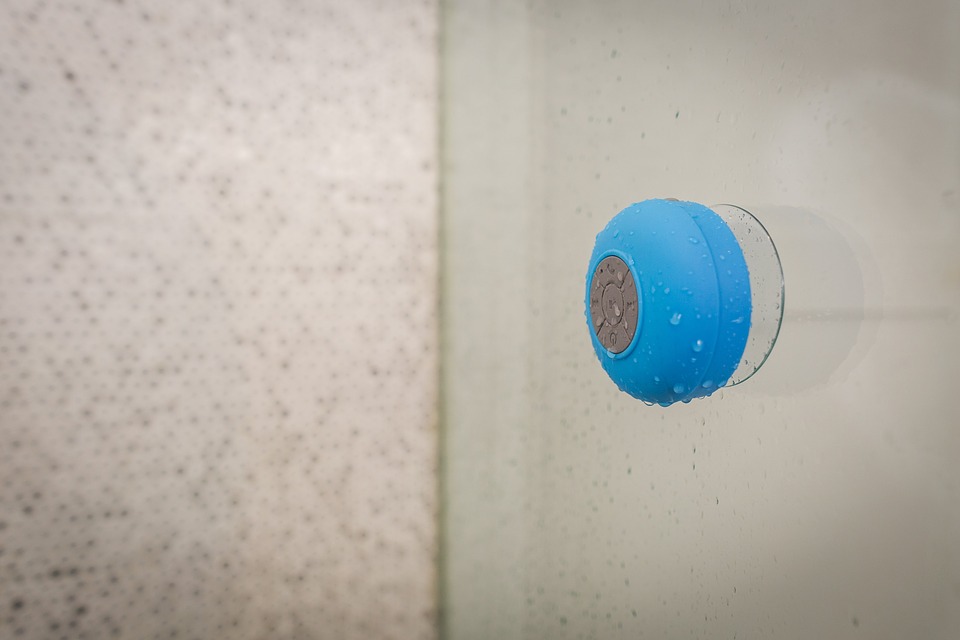
Other critical elements that you need to remember when purchasing these accessories are the installation options and portability. In a situation where you intend to carry your speakers to pool parties or your camping adventures, consider choosing a portable shower speaker. On the other hand, if you plan to mount the speaker inside the shower cubicle, make sure that you consider the mounting or installation options that you will consider. Even if some mounting brackets are easy to install, note that some need you to drill on the wall. Therefore, pick the right mounting option that will suit you.

speaker

Battery Life

When you consider the battery life of the given shower speakers that you intend to purchase, make sure that you identify how many hours you plan to use the speaker. Depending on your intended use, make sure that you buy speakers that provide up to twelve hours. With these speakers, it will get you through the entire week. With these speakers, you will not be charging them always, which will result in great convenience.